




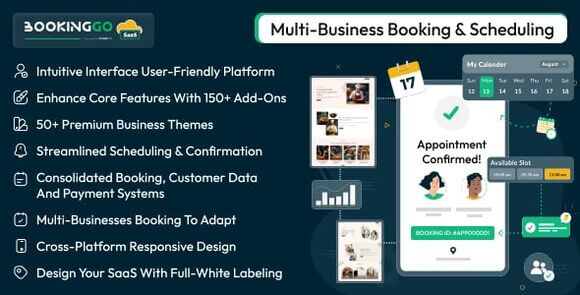
Description
BookingGo SaaS Multi Business Appointment Booking and Scheduling
In today’s fast-paced world, efficient time management is the backbone of any service-oriented business. BookingGo SaaS Multi Business Appointment Booking and Scheduling is an all-in-one platform that bridges the gap between service providers and their clients. By offering a sophisticated yet user-friendly interface, it allows businesses to automate their booking processes, reduce no-shows, and improve overall operational efficiency. The software is engineered with a focus on scalability, making it an ideal choice for developers looking to build a profitable SaaS business.
What is BookingGo SaaS?
BookingGo SaaS is a comprehensive multi-business appointment booking and scheduling solution designed to empower entrepreneurs and business owners to launch their own booking platforms. This robust software provides a centralized hub where multiple businesses can register, manage their services, and handle client appointments seamlessly. Whether you are looking to start a niche booking site for salons, medical clinics, or consulting firms, BookingGo SaaS offers the scalability and flexibility required to succeed in the modern digital economy.
Key Features
- Multi-Business Support: Allow multiple vendors or businesses to create profiles and manage their own schedules.
- SaaS Ready: Built-in subscription management and payment gateway integration for recurring revenue.
- Real-time Scheduling: Dynamic calendar interface that prevents double bookings and manages time slots effectively.
- Client Management: A dedicated dashboard for customers to view, reschedule, or cancel their appointments.
- Automated Notifications: Send email or SMS alerts to both business owners and clients for upcoming bookings.
- Responsive Design: Fully optimized for desktops, tablets, and mobile devices to ensure a smooth user experience.
- Advanced Analytics: Detailed reports on bookings, revenue, and business performance.
- Customizable Booking Forms: Tailor the information collected from clients during the booking process to suit specific business needs.
- Multi-Language Support: Reach a global audience by offering the platform in multiple languages.
Requirements
To run BookingGo SaaS effectively, your server should meet the following minimum requirements:
- PHP 8.1 or higher
- MySQL 5.7+ or MariaDB 10.3+
- BCMath and Ctype PHP Extensions
- JSON and Mbstring PHP Extensions
- OpenSSL and PDO PHP Extensions
- Tokenizer and XML PHP Extensions
- Apache or Nginx Web Server
How to Use/Install
1. Upload the source files to your web server’s root directory or a specific subdomain.
2. Create a new MySQL database and user through your hosting control panel.
3. Access your domain URL in a web browser to launch the automated installer.
4. Follow the on-screen instructions to verify your server environment and enter your database credentials.
5. Set up the administrator account to access the main SaaS dashboard.
6. Configure your payment gateways and subscription plans to start onboarding businesses.
Original Source: Codecanyon
BookingGo SaaS Multi Business Appointment Booking and Scheduling
Manage multiple businesses and appointments with BookingGo SaaS. A powerful scheduling solution for service providers. Buy now at AssetShop.

Use Coupon
Hurry and get discounts on all Apple devices up to 20%
ASSET20
₹950.00 Original price was: ₹950.00.₹760.00Current price is: ₹760.00.
- Version
- Last Updated
- Framework
- Demo
- Latest
- January 2026
- PHP
- Live preview
Payment Methods:

Description
BookingGo SaaS Multi Business Appointment Booking and Scheduling
In today’s fast-paced world, efficient time management is the backbone of any service-oriented business. BookingGo SaaS Multi Business Appointment Booking and Scheduling is an all-in-one platform that bridges the gap between service providers and their clients. By offering a sophisticated yet user-friendly interface, it allows businesses to automate their booking processes, reduce no-shows, and improve overall operational efficiency. The software is engineered with a focus on scalability, making it an ideal choice for developers looking to build a profitable SaaS business.
What is BookingGo SaaS?
BookingGo SaaS is a comprehensive multi-business appointment booking and scheduling solution designed to empower entrepreneurs and business owners to launch their own booking platforms. This robust software provides a centralized hub where multiple businesses can register, manage their services, and handle client appointments seamlessly. Whether you are looking to start a niche booking site for salons, medical clinics, or consulting firms, BookingGo SaaS offers the scalability and flexibility required to succeed in the modern digital economy.
Key Features
- Multi-Business Support: Allow multiple vendors or businesses to create profiles and manage their own schedules.
- SaaS Ready: Built-in subscription management and payment gateway integration for recurring revenue.
- Real-time Scheduling: Dynamic calendar interface that prevents double bookings and manages time slots effectively.
- Client Management: A dedicated dashboard for customers to view, reschedule, or cancel their appointments.
- Automated Notifications: Send email or SMS alerts to both business owners and clients for upcoming bookings.
- Responsive Design: Fully optimized for desktops, tablets, and mobile devices to ensure a smooth user experience.
- Advanced Analytics: Detailed reports on bookings, revenue, and business performance.
- Customizable Booking Forms: Tailor the information collected from clients during the booking process to suit specific business needs.
- Multi-Language Support: Reach a global audience by offering the platform in multiple languages.
Requirements
To run BookingGo SaaS effectively, your server should meet the following minimum requirements:
- PHP 8.1 or higher
- MySQL 5.7+ or MariaDB 10.3+
- BCMath and Ctype PHP Extensions
- JSON and Mbstring PHP Extensions
- OpenSSL and PDO PHP Extensions
- Tokenizer and XML PHP Extensions
- Apache or Nginx Web Server
How to Use/Install
1. Upload the source files to your web server’s root directory or a specific subdomain.
2. Create a new MySQL database and user through your hosting control panel.
3. Access your domain URL in a web browser to launch the automated installer.
4. Follow the on-screen instructions to verify your server environment and enter your database credentials.
5. Set up the administrator account to access the main SaaS dashboard.
6. Configure your payment gateways and subscription plans to start onboarding businesses.
Original Source: Codecanyon
Reviews
Clear filtersThere are no reviews yet.