




Description
Elengine The Ultimate Sngine Theme
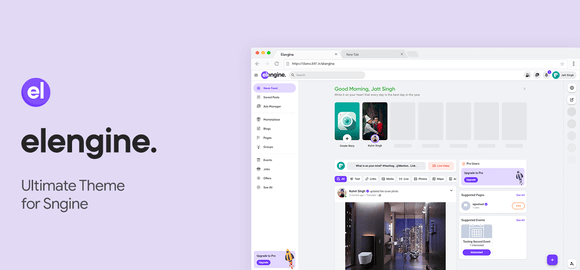
Elengine is a premium, state-of-the-art theme crafted specifically for the Sngine PHP Social Network Platform. Designed to elevate your social network’s user experience, Elengine brings a sleek, modern, and highly intuitive user interface that rivals major social media giants. Whether you are running a niche community, a professional network, or a general social platform, this theme provides the perfect aesthetic and functional upgrade to keep your users engaged and active.
Key Features of Elengine
- Ultra-Responsive Layout: Elengine is fully optimized to look stunning on all devices, including smartphones, tablets, laptops, and desktops.
- Seamless Dark & Light Mode: Offers a built-in toggle allowing users to switch between light and dark modes effortlessly, reducing eye strain.
- Highly Customizable Homepage: Admins can easily modify layouts, rearrange widgets, and display custom content blocks without touching code.
- Blazing Fast Performance: Coded with performance in mind, ensuring fast page load speeds and smooth transitions for a better user experience.
- Enhanced Profile & Group Pages: Redesigned user profiles, business pages, and community groups that look professional and modern.
- SEO-Friendly Architecture: Built using clean coding standards to ensure search engines can crawl and index your social network efficiently.
System Requirements
Before installing the Elengine theme, please ensure your server environment meets the following minimum requirements:
- Sngine PHP Social Network Script (Active Installation)
- PHP Version 7.4 or higher
- MySQL 5.6+ or MariaDB equivalent
- Apache or Nginx web server with mod_rewrite enabled
How to Install Elengine Theme
Follow these simple steps to install and activate the Elengine theme on your Sngine website:
- Download the theme package and extract the files on your local computer.
- Using an FTP client or your hosting File Manager, upload the
elenginefolder to thecontent/themes/directory of your Sngine installation. - Log in to your Sngine Admin Panel with administrator credentials.
- Navigate to the System Settings section and click on Themes.
- Locate Elengine in the list, select it as your default theme, and click save.
- Clear your website cache and browser cache to see the beautiful new design in action.
Original Source: Codecanyon
Elengine The Ultimate Sngine Theme
Transform your Sngine social network with Elengine, the ultimate responsive theme featuring dark mode, modern layouts, and blazing-fast speed.

Use Coupon
Hurry and get discounts on all Apple devices up to 20%
ASSET20
₹790.00 Original price was: ₹790.00.₹399.00Current price is: ₹399.00.
- Version
- Last Updated
- Framework
- Demo
- Latest
- June 2026
- PHP
- Live preview
Payment Methods:

Description
Elengine The Ultimate Sngine Theme
Elengine is a premium, state-of-the-art theme crafted specifically for the Sngine PHP Social Network Platform. Designed to elevate your social network’s user experience, Elengine brings a sleek, modern, and highly intuitive user interface that rivals major social media giants. Whether you are running a niche community, a professional network, or a general social platform, this theme provides the perfect aesthetic and functional upgrade to keep your users engaged and active.
Key Features of Elengine
- Ultra-Responsive Layout: Elengine is fully optimized to look stunning on all devices, including smartphones, tablets, laptops, and desktops.
- Seamless Dark & Light Mode: Offers a built-in toggle allowing users to switch between light and dark modes effortlessly, reducing eye strain.
- Highly Customizable Homepage: Admins can easily modify layouts, rearrange widgets, and display custom content blocks without touching code.
- Blazing Fast Performance: Coded with performance in mind, ensuring fast page load speeds and smooth transitions for a better user experience.
- Enhanced Profile & Group Pages: Redesigned user profiles, business pages, and community groups that look professional and modern.
- SEO-Friendly Architecture: Built using clean coding standards to ensure search engines can crawl and index your social network efficiently.
System Requirements
Before installing the Elengine theme, please ensure your server environment meets the following minimum requirements:
- Sngine PHP Social Network Script (Active Installation)
- PHP Version 7.4 or higher
- MySQL 5.6+ or MariaDB equivalent
- Apache or Nginx web server with mod_rewrite enabled
How to Install Elengine Theme
Follow these simple steps to install and activate the Elengine theme on your Sngine website:
- Download the theme package and extract the files on your local computer.
- Using an FTP client or your hosting File Manager, upload the
elenginefolder to thecontent/themes/directory of your Sngine installation. - Log in to your Sngine Admin Panel with administrator credentials.
- Navigate to the System Settings section and click on Themes.
- Locate Elengine in the list, select it as your default theme, and click save.
- Clear your website cache and browser cache to see the beautiful new design in action.
Original Source: Codecanyon
Reviews
Clear filtersThere are no reviews yet.